> ## Documentation Index
> Fetch the complete documentation index at: https://docs-dev-dr-2812.mintlify.site/llms.txt
> Use this file to discover all available pages before exploring further.

> Learn how to configure your JWT Connection to sign, verify or decode JSON Web Tokens.

# JWT Vault Connection

## Configure your JWT Vault connection

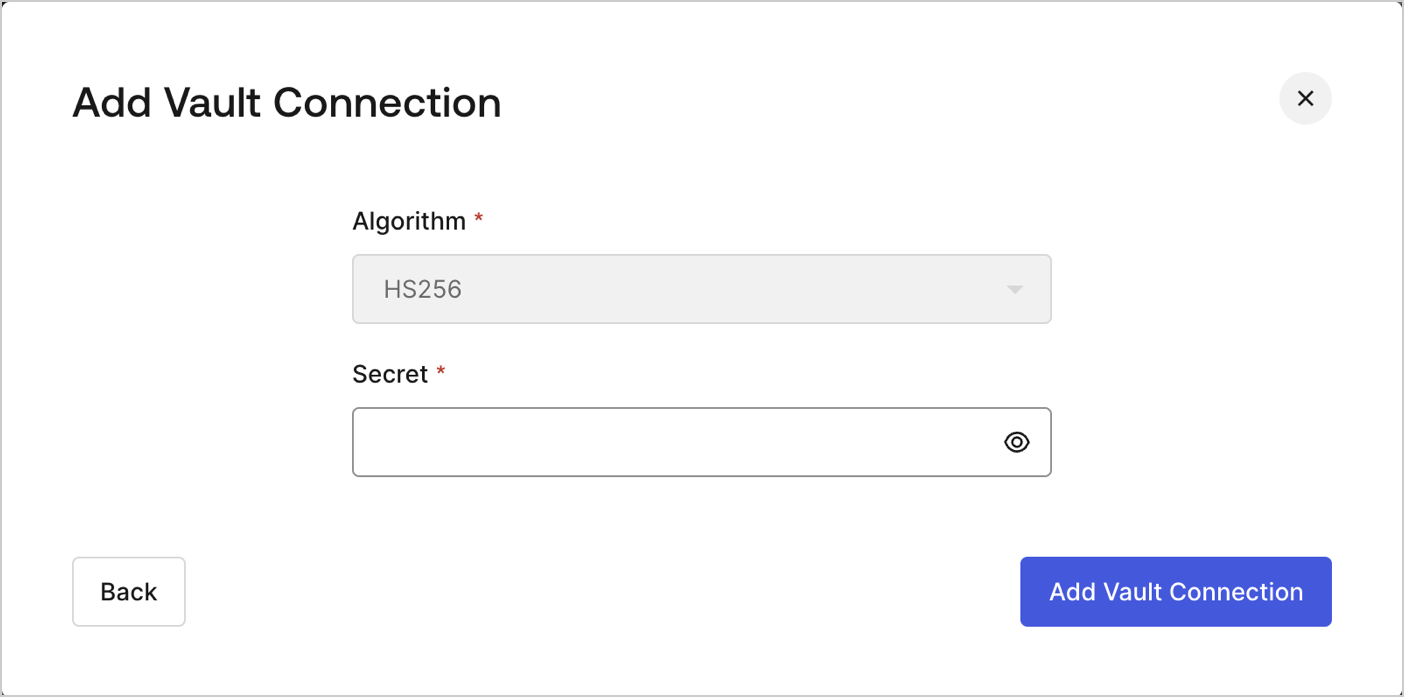
To configure an JWT Vault Connection for your Flows JWT Actions to sign, decode, and verify JSON Web Tokens, you need to set the required parameters.
<Frame>
  <img src="https://mintcdn.com/docs-dev-dr-2812/QDvVQf0ggs5jE6hh/docs/images/customize/forms/vaults/jwt-vault-connection.png?fit=max&auto=format&n=QDvVQf0ggs5jE6hh&q=85&s=d3131a5b624ba675156e0bd10c665908" alt="Dashboard > Actions > Forms > Vault > JWT" data-og-width="1404" width="1404" data-og-height="697" height="697" data-path="docs/images/customize/forms/vaults/jwt-vault-connection.png" data-optimize="true" data-opv="3" srcset="https://mintcdn.com/docs-dev-dr-2812/QDvVQf0ggs5jE6hh/docs/images/customize/forms/vaults/jwt-vault-connection.png?w=280&fit=max&auto=format&n=QDvVQf0ggs5jE6hh&q=85&s=4da4f747e826778a8983730de7085e58 280w, https://mintcdn.com/docs-dev-dr-2812/QDvVQf0ggs5jE6hh/docs/images/customize/forms/vaults/jwt-vault-connection.png?w=560&fit=max&auto=format&n=QDvVQf0ggs5jE6hh&q=85&s=dd35a5d62356c50837ddc5a6e60aaebb 560w, https://mintcdn.com/docs-dev-dr-2812/QDvVQf0ggs5jE6hh/docs/images/customize/forms/vaults/jwt-vault-connection.png?w=840&fit=max&auto=format&n=QDvVQf0ggs5jE6hh&q=85&s=048adc4f4d13249394809d03b684a9f9 840w, https://mintcdn.com/docs-dev-dr-2812/QDvVQf0ggs5jE6hh/docs/images/customize/forms/vaults/jwt-vault-connection.png?w=1100&fit=max&auto=format&n=QDvVQf0ggs5jE6hh&q=85&s=73c7777e802e7c39159c6f790f64ec07 1100w, https://mintcdn.com/docs-dev-dr-2812/QDvVQf0ggs5jE6hh/docs/images/customize/forms/vaults/jwt-vault-connection.png?w=1650&fit=max&auto=format&n=QDvVQf0ggs5jE6hh&q=85&s=bb88a958013a21a21329eb99379c310b 1650w, https://mintcdn.com/docs-dev-dr-2812/QDvVQf0ggs5jE6hh/docs/images/customize/forms/vaults/jwt-vault-connection.png?w=2500&fit=max&auto=format&n=QDvVQf0ggs5jE6hh&q=85&s=3327a0158eb5505cb94531644e49a57e 2500w" />
</Frame>

## Input settings

| Parameter | Description                                                 |
| --------- | ----------------------------------------------------------- |
| Secret    | Secret to be used in the HS256 algorithm to encode the JWT. |
